01 / FOLIOTONE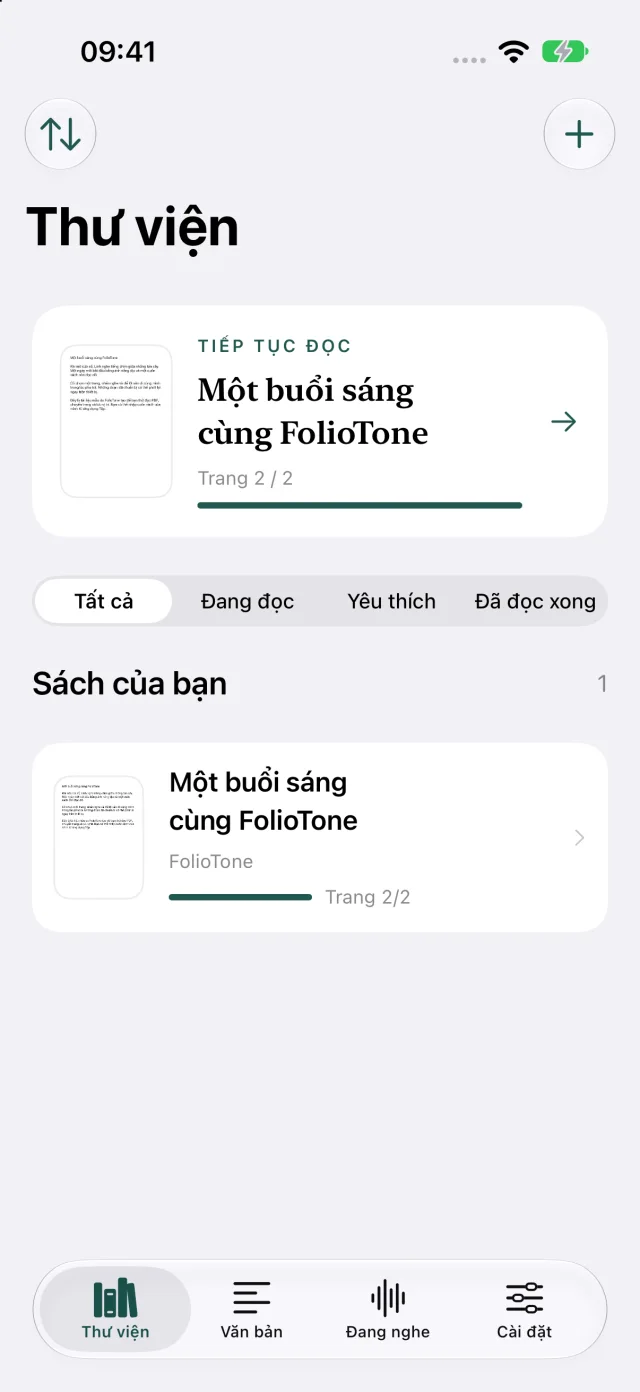
Familiar books. A new rhythm.
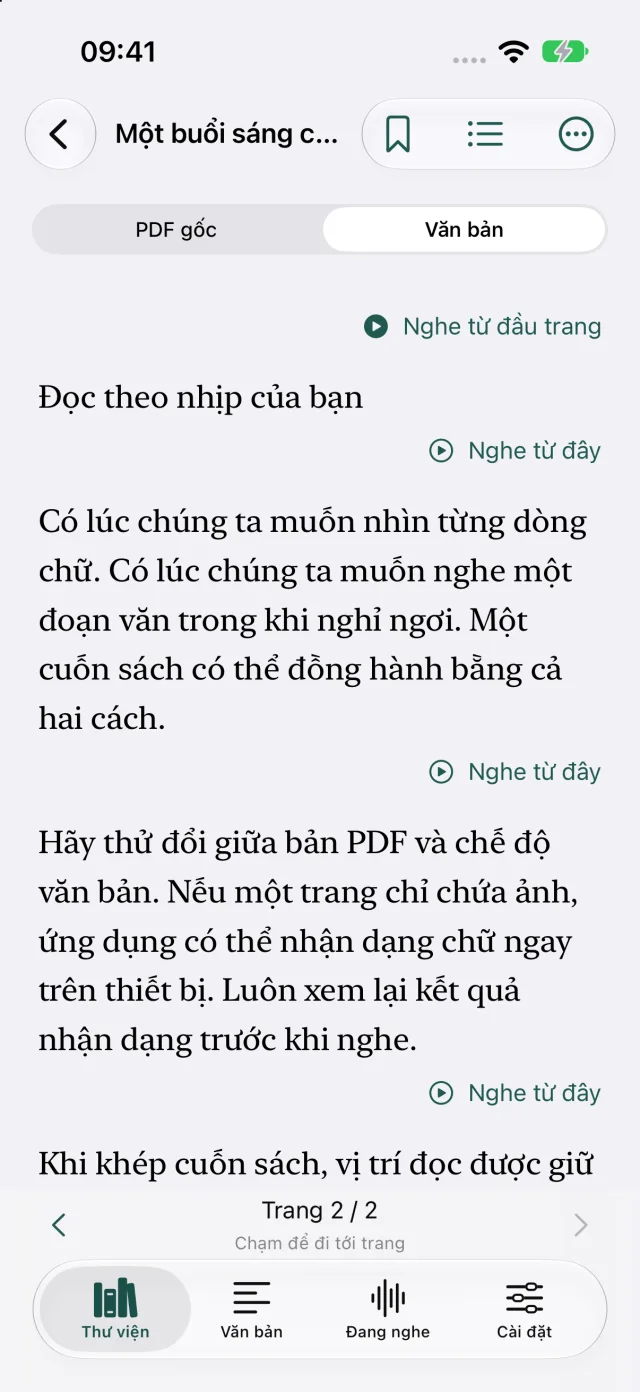
Import PDFs, keep their original pages or switch to text view. On scanned pages, on-device OCR helps uncover the words.
 FolioTone.
A DIFFERENT WAY TO READ
Turn PDFs and text into Vietnamese speech. Take your next chapter with you, even when your eyes need a little rest.
01 — MORE THAN TEXT TO SPEECH
A little library in your pocket. Read when you want, listen when you need, and pick up where you left off.
Import PDFs, keep their original pages or switch to text view. On scanned pages, on-device OCR helps uncover the words.
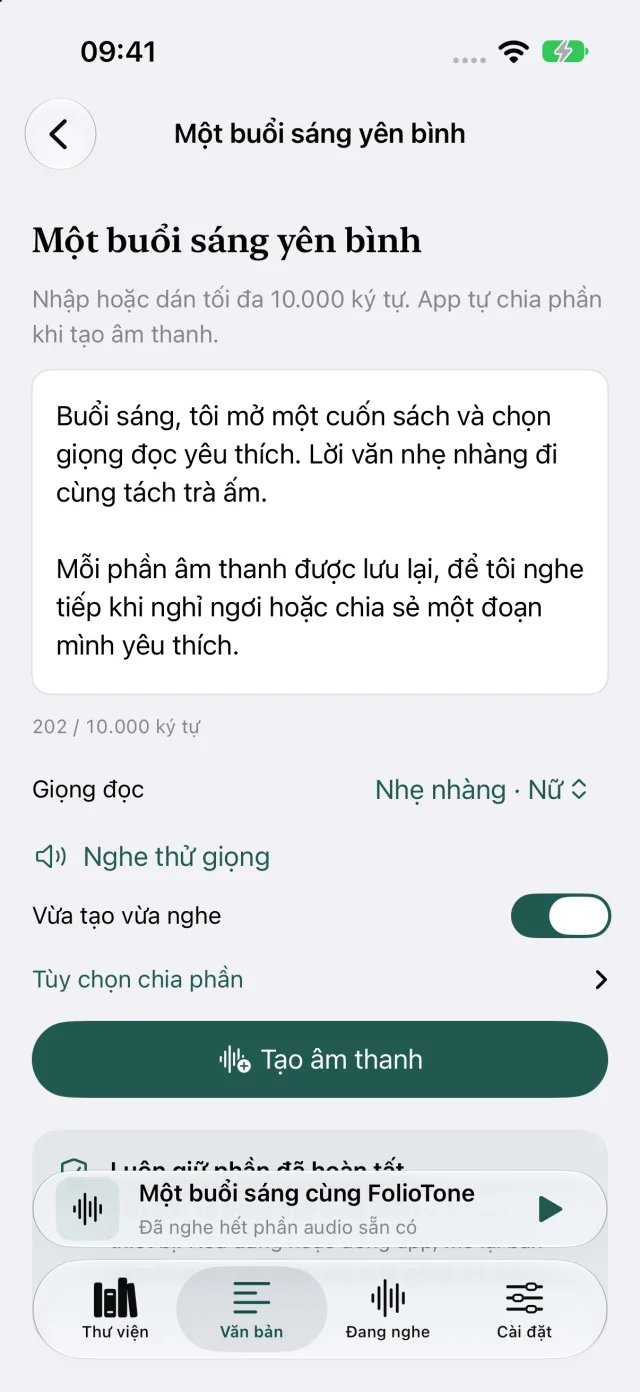
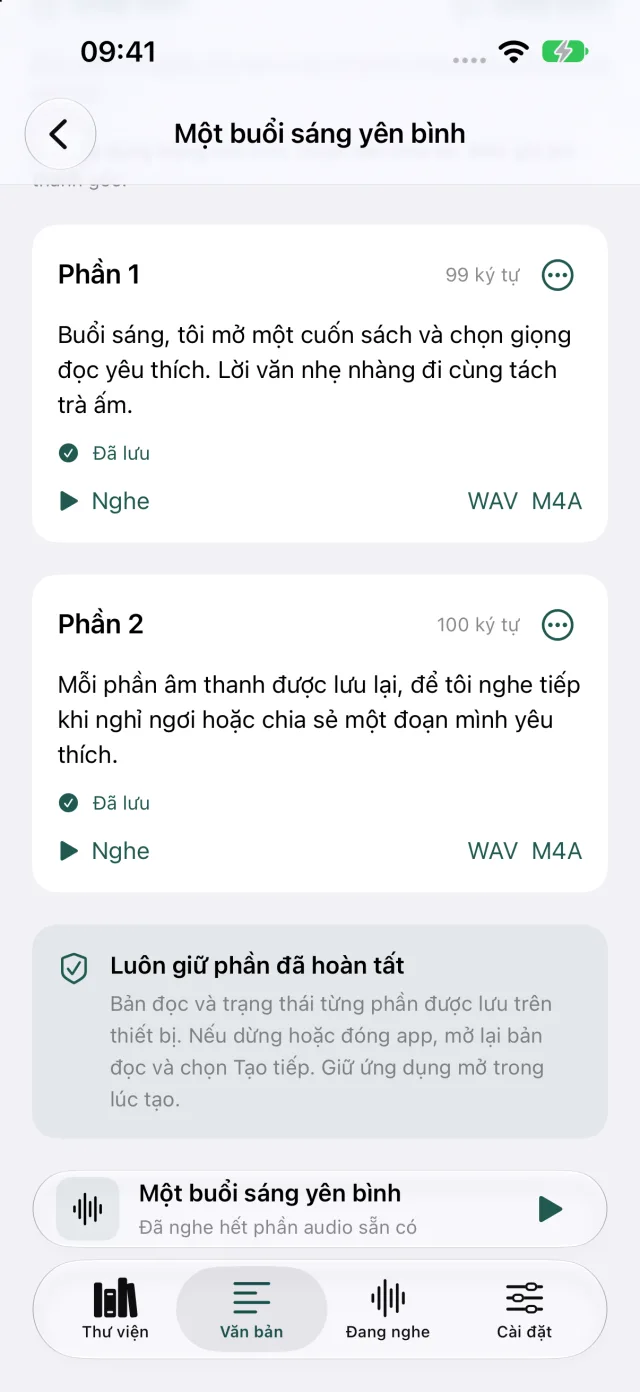
Paste your text, choose a voice and create audio in parts. Replay, combine or export WAV/M4A files to take along.
Listen across pages, save your place and adjust playback speed. Prepare audio ahead for listening with your screen locked.
02 — LET THE WORDS SPEAK
Listen to a Vietnamese sample generated with FolioTone. There’s no need to upload a book or share your text here.
“Một buổi sáng
cùng FolioTone.”
A little opening. A moment to yourself.
03 — A SIMPLE PLACE TO START
Choose a PDF from Files or paste your text into the app.
Preview a voice and choose where to start: a paragraph, a page, a chapter.
The app creates audio locally. Prepare ahead for longer listening.
04 — START FREE. KEEP READING.
You don’t need Pro to start listening. Upgrade for more voices and bigger book projects.
FOLIOTONE FREE
Free, for everyday reading and listening.
FOLIOTONE PRO
One purchase. More ways to listen.
Both versions run on device. Speed depends on your device and content; Pro does not speed up the speech engine.
FolioTone preserves the pages in your PDF. After importing, open your book and tap “Listen from page start” or “Listen from here”. Continuous listening moves through the following pages, with optional automatic page turning.
No. Text extraction, OCR and speech generation run on your device. Internet is needed to download the app, purchase or restore Pro, and retrieve books stored in cloud services.
Yes. The app attempts text recognition on pages without a text layer. Accuracy depends on scan quality; review and edit recognized text before generating audio.
Prepared audio can keep playing with the screen locked. For longer listening, use “Prepare & export audio” first; speech generation needs the app in the foreground on iOS.
The two free voices have no daily character quota. The other six voices allow 3,000 characters of new audio a day on Free; Pro removes that quota. Generation speed and individual part length still depend on your device, memory and available storage.
Both versions use the same speech engine. Pro removes voice quotas and batch limits. It is a one-time purchase; your local App Store price is shown in the app.
FOLIOTONE · UNLIMITED TTS READER
For the books you want to read. And the days you’d rather listen.